
used laptop computers
When purchasing used laptop computers for sale, it is essential to check the storage capacity and condition to ensure the device meets your needs. Storage plays a vital role in a laptop’s performance and usability, as it determines how much data the device can hold and how quickly it processes information. To verify the storage on a used laptop, buyers should first check the system specifications through the operating system. On Windows laptops, this can be done by navigating to “Settings,” selecting “System,” and then clicking on “Storage.” This section displays the total storage capacity and the amount of space currently in use. Alternatively, users can right-click the “This PC” icon, select “Properties,” and view the storage details under “Device Specifications.” On macOS laptops, storage information can be accessed by clicking the Apple menu, selecting “About This Mac,” and then choosing the “Storage” tab.
For buyers inspecting used laptop computers for sale in person, it is also recommended to physically verify the storage hardware. Removing the bottom panel of the laptop, if possible, allows buyers to confirm whether the device contains a hard disk drive (HDD) or a solid-state drive (SSD). SSDs are generally faster, more durable, and preferred for better performance, while HDDs are slower but offer larger storage capacities at a lower price. Verifying the drive type is important, as some sellers may list a laptop as having an SSD when it actually contains a less reliable HDD. Buyers should also use diagnostic tools such as CrystalDiskInfo (for Windows) or DriveDx (for macOS) to check the health and lifespan of the storage drive. This ensures that the drive does not have bad sectors or significant wear, which could lead to data loss or drive failure.
When purchasing wholesale used laptop computers for sale, verifying storage becomes even more critical, as bulk orders often contain a mix of storage configurations. On platforms like Global Sources, buyers can find detailed product descriptions that specify the storage type, capacity, and condition. Wholesale suppliers from China, India, Korea, and other regions often list used laptops with storage options ranging from 128GB to 1TB or more. However, it is important for buyers to confirm these specifications, as discrepancies can occur during bulk shipping. Requesting sample units or testing a small batch before making a large purchase is a practical way to verify the storage claims made by suppliers.
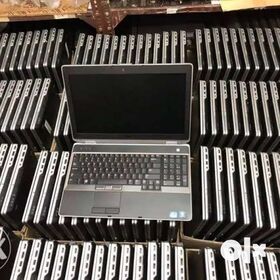
How do I check storage on used laptop computers for sale?
Buyers should also be aware of potential data remnants on used laptop computers for sale. Some sellers may not fully wipe the storage drive before reselling, leaving behind previous user data. It is advisable to format the drive or perform a clean operating system installation to ensure there are no hidden files or security risks.
Using disk management tools to fully erase and partition the storage drive can prevent performance issues and protect against potential malware. Shop online for wholesale used laptops? Global Sources has a full-scale list of wholesale used laptop products at factory prices featured by verified wholesalers and manufacturers from China, India, Korea, and other countries to satisfy all the requirements!.
Global Sources puts an end to the complex traditional commerce by bringing together used laptop suppliers and buyers. In our B2B platform, it takes only a few clicks to spot stylish goods, compare the price, learn the MOQs of Chinese, Indian, and Korean used laptop products for sale as well as items from other countries, and reach out to suppliers to strike a deal. Verifying storage on used laptop computers for sale is a crucial step to ensure you are investing in a reliable device with adequate capacity and optimal performance.